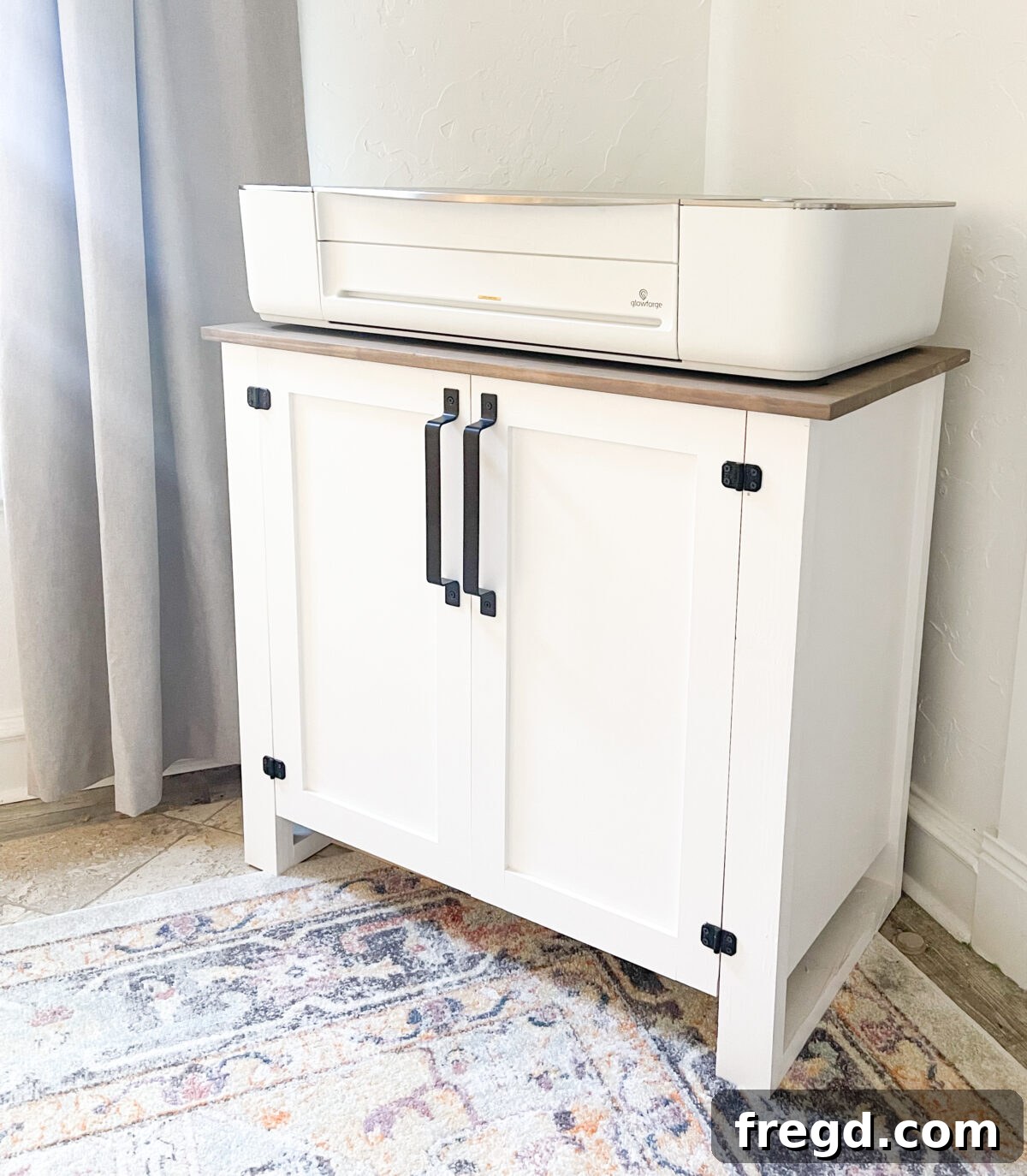
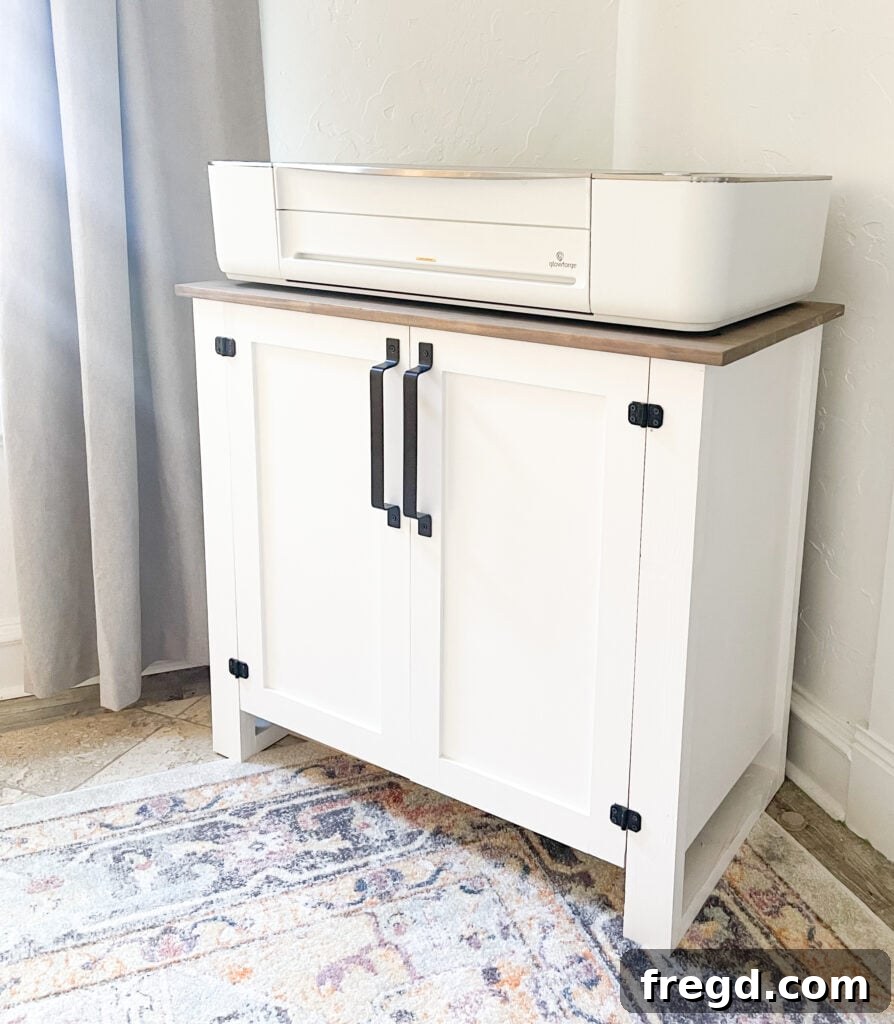
Hey friends! Ashley and I recently embarked on an exciting new journey as proud owners of a Glowforge 3D laser printer. These machines are truly revolutionary, transforming creative ideas into tangible realities with incredible precision and ease. While we are still delving into the vast, almost endless capabilities that our Glowforge printers offer, we’re thrilled to share our initial experiences and showcase just a few of the amazing projects these devices can bring to life. Join us as we provide an in-depth Glowforge 3D Laser Printer review, featuring insights, project examples, and a special video demonstration. And don’t miss our exclusive link at the end of this post to unlock significant savings – up to $500 off your very own Glowforge printer!
Table of Contents
Glowforge Video
To truly grasp the magic of the Glowforge in action, we’ve put together a comprehensive video demonstration. In this video, you’ll witness firsthand the ease of setup, the precision of cuts and engravings, and a quick overview of some of the incredible projects we’ve created. It’s the perfect complement to this review, offering a visual journey into the world of laser crafting. Watch our Glowforge 3D Laser Printer Review video below to see these amazing capabilities brought to life!
What is a Glowforge Laser Cutter?
The Glowforge is not just a printer; it’s a revolutionary 3D laser cutter and engraver that empowers creators of all skill levels to bring their designs to life with unprecedented ease and precision. Imagine taking a drawing, a photograph, or a digital design and seeing it instantly transformed into a physical object made from wood, leather, acrylic, fabric, or even chocolate! That’s the magic of a Glowforge. It operates by utilizing a focused beam of light to cut, engrave, and score a wide array of materials, opening up a world of possibilities for intricate designs and custom creations.
Effortless Setup and User-Friendly Interface
One of the most remarkable aspects of the Glowforge experience is its incredibly simple setup process. Unlike many complex industrial machines, we had our Glowforge up and running, ready to print its first design, in under 30 minutes. The startup is genuinely intuitive, guiding you through each step. This ease of use extends to its compatibility; whether you’re a Mac, PC, or mobile user, the Glowforge integrates seamlessly. It leverages free, web-based software, meaning there’s nothing to download or install, and updates are automatically handled in the cloud, ensuring you always have the latest features and improvements.
Unparalleled Versatility in Materials and Capabilities
The Glowforge excels in its ability to work with an impressive variety of materials. From robust hardwoods like maple and walnut to delicate fabrics, supple leather, and vibrant acrylics, the machine handles diverse textures and thicknesses with remarkable finesse. It can even engrave on certain metals (like anodized aluminum) and engrave foods! Beyond basic cutting, the Glowforge boasts advanced features that truly set it apart:
- Autofocus: This intelligent feature automatically adjusts the laser’s focus to the precise height of your material, eliminating guesswork and ensuring sharp, accurate cuts and engravings every time. It’s a game-changer for consistency and efficiency.
- 3D Engraving: Beyond simple surface etching, the Glowforge can create stunning multi-depth engravings. This means your designs can have varying textures and depths, adding a tactile and visually rich dimension to your projects, making them truly stand out.
- Live Preview Camera: Positioned inside the lid, the integrated camera provides a real-time, high-definition view of your material. You simply place your material on the tray, and the camera shows you exactly where your design will cut or engrave, allowing for perfect alignment and optimal material usage. This feature virtually eliminates mistakes and material waste.
The Thriving Glowforge Community
During our video, we frequently emphasized the immense value of the Glowforge Community, and for good reason. Before owning our printer, we didn’t fully grasp the depth of support and inspiration this collective of fellow Glowforge makers provides. It wasn’t until we started our own projects and encountered questions that we truly understood its indispensable role.
A Hub for Collaboration and Support
The Glowforge Community is more than just an online forum; it’s a vibrant ecosystem where creators converge to share knowledge, offer assistance, and celebrate achievements. When you’re brainstorming a new project, facing a design challenge, or troubleshooting a print issue, you’ll find a wealth of experience at your fingertips. Most posts receive helpful answers within a few hours, often from individuals who have successfully navigated similar situations or are eager to learn alongside you.
Unlock Material Mastery and Creative Inspiration
One of the most common hurdles for new users is understanding optimal settings for various materials. The community shines brightly here. If you’re experimenting with an unfamiliar material – perhaps a unique type of wood or a specific brand of acrylic – chances are someone else in the community has already tried it and documented their findings. Members generously share their tried-and-true settings, tips for cutting difficult materials, and innovative approaches to design. This collective wisdom dramatically shortens the learning curve and prevents costly mistakes, allowing you to confidently explore new creative avenues.
Furthermore, the community serves as an incredible source of inspiration. Seeing the diverse range of creations shared by other makers – from intricate jewelry to personalized home decor and functional prototypes – continuously sparks new ideas and encourages experimentation. It’s a place to both seek and provide support, fostering a strong sense of camaraderie among Glowforge enthusiasts worldwide. Sharing your own creations also contributes to this rich tapestry of ideas, earning you feedback and admiration from a supportive audience.
Unlocking Creativity with Glowforge Files
A key element that makes the Glowforge experience so accessible and enjoyable is its reliance on digital design files, primarily SVG (Scalable Vector Graphics) files. These vector-based files are ideal for laser cutting because they define shapes and lines mathematically, ensuring perfect scalability and crisp, clean results regardless of size. This compatibility with a widely used file format opens up a world of creative possibilities for every Glowforge owner.
Where to Find Design Files
The journey from concept to creation often begins with finding or designing the right file. Fortunately, Glowforge users have an abundance of resources:
- Etsy: This popular marketplace is a goldmine for Glowforge-compatible SVG files. Many talented designers create and sell files specifically tested for Glowforge printers, offering a vast selection of unique and inexpensive designs, from intricate patterns to personalized templates. It’s an excellent starting point for ready-to-cut projects.
- Glowforge Catalog: The official Glowforge app includes a built-in catalog of designs. These are guaranteed to work seamlessly with your machine and Proofgrade materials, providing a convenient way to get started immediately.
- Free Online Resources: A simple search for “free SVG files for laser cutting” will reveal numerous websites offering a wide array of designs, often categorized by theme or material. These can be great for practicing and discovering new styles.
- Design Bundles and Marketplaces: Websites like Design Bundles, Creative Fabrica, and others specialize in digital assets, including SVG files suitable for laser cutters.
Crafting Your Own Custom Designs
For those who wish to venture beyond pre-made files and bring truly unique visions to life, creating your own SVG files is a rewarding process. Several software options cater to different skill levels:
- Inkscape: A powerful and free open-source vector graphics editor, Inkscape is an excellent choice for beginners and experienced designers alike. It offers robust tools for creating and editing SVG files, making it highly suitable for laser cutting designs.
- Adobe Illustrator: The industry standard for vector graphics, Adobe Illustrator provides comprehensive tools for professional-grade design. It offers unparalleled precision and flexibility for creating complex SVG files.
- Adobe Photoshop: While primarily a raster image editor, Photoshop can be used in conjunction with vector tools or to prepare images for engraving. However, for precise cuts, a dedicated vector program is usually preferred.
The Glowforge community is, once again, an invaluable resource for learning about design software. You’ll find tutorials, tips, and fellow makers sharing their expertise on how to effectively create and optimize SVG files for perfect Glowforge prints, guiding you through the intricacies of vector design and preparing your artwork for cutting, scoring, or engraving.
Our Favorite Glowforge Projects
To truly illustrate the versatility and creative potential of the Glowforge, we wanted to share some of our absolute favorite projects we’ve completed since becoming owners. These examples showcase the machine’s capabilities across different materials and design complexities, providing a glimpse into the diverse range of items you can create.
DIY Christmas Ornament
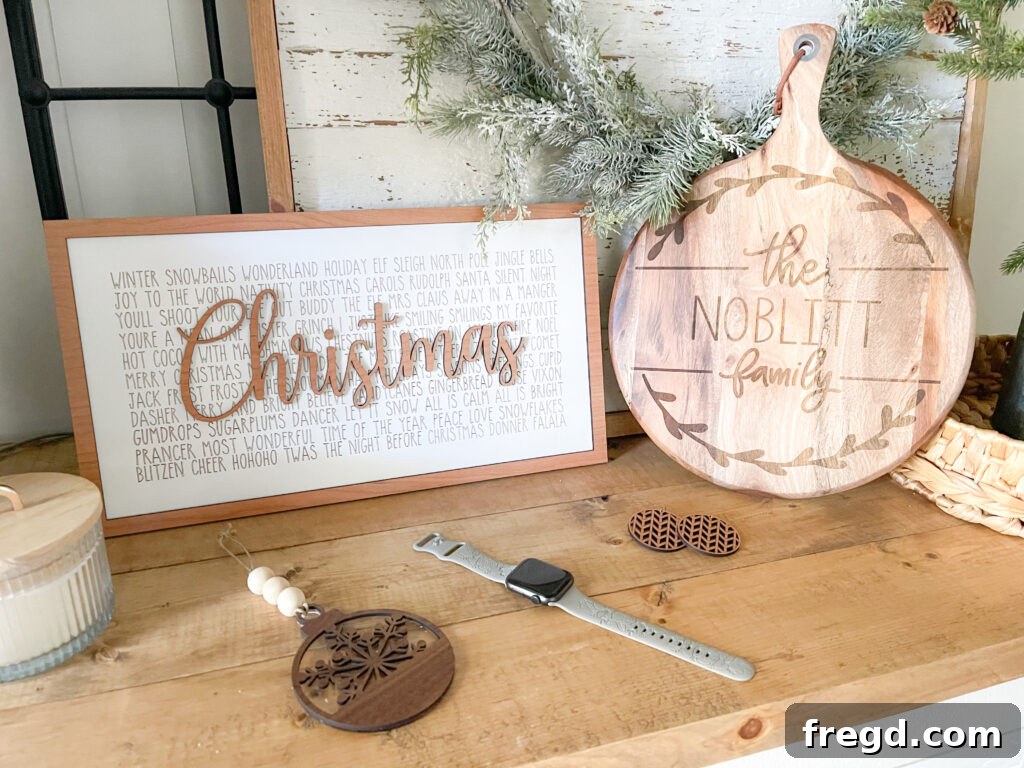
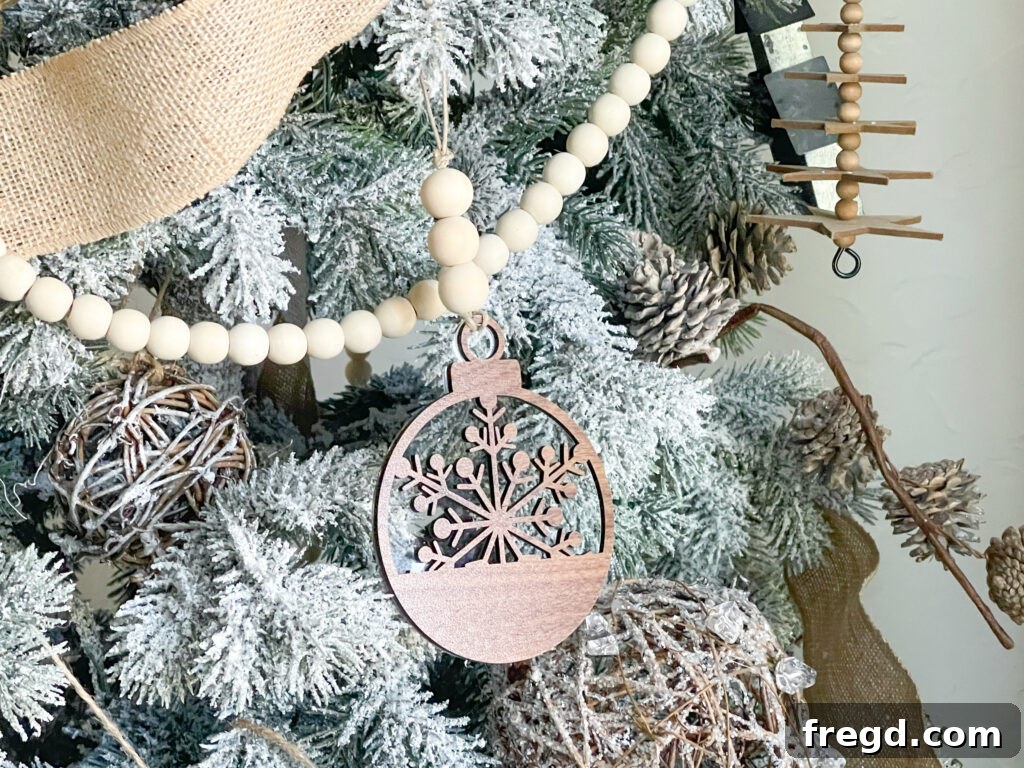
Our very first project on the Glowforge was this adorable DIY Christmas ornament, and we couldn’t be happier with how it turned out! It’s a perfect example of how the Glowforge can create intricate, multi-layered designs with ease. We sourced the file for this charming ornament HERE on Etsy, a testament to the readily available design resources. For a beautiful contrast and depth, we utilized Proofgrade acrylic for the initial base layer, providing a sleek, modern foundation, and then topped it with Proofgrade Walnut for the intricate details, adding a touch of natural warmth. The combination of materials highlights the precision of the laser cuts and the stunning visual appeal that can be achieved. You can explore the full range of Proofgrade materials and their unique properties HERE.
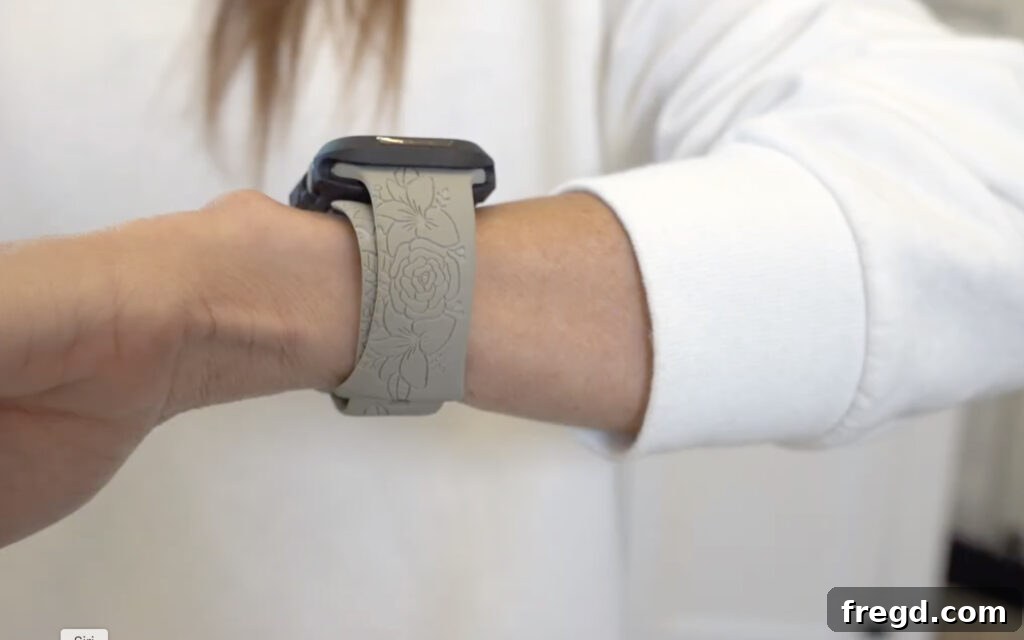
Engraved Apple Watch Band
This project quickly became one of our top favorites, showcasing the Glowforge’s ability to personalize everyday items with elegant engraving. Imagine taking a plain Apple Watch band and transforming it into a unique accessory that reflects your style or makes for an unforgettable gift. We found the perfect design file for this project HERE on Etsy. The precision of the Glowforge laser allowed for incredibly detailed engraving on the watch band material, resulting in a crisp, clean design that looks professionally done. This project truly highlights the potential for customization and creating bespoke items that are both functional and personal.
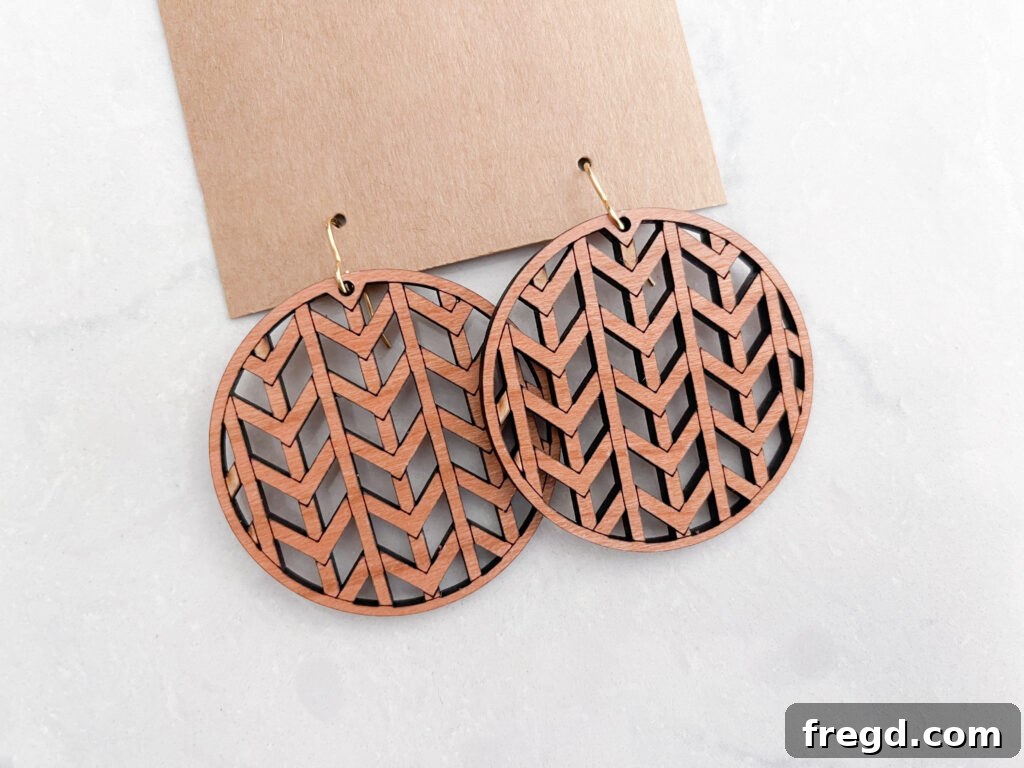
DIY Wooden Earrings
Prepare to be amazed by how quickly and beautifully the Glowforge can create intricate jewelry! These DIY wooden earrings are a fantastic example of rapid prototyping and production. The elegance and charm of these earrings are undeniable, and the speed at which they were produced is simply incredible. We discovered the delightful design file for these earrings HERE on Etsy. What truly astounded us was that the Glowforge managed to both cut out the precise shapes and engrave the delicate details onto the wood in less than two minutes! This efficiency makes the Glowforge an ideal tool for crafters looking to create small batches of custom items, or even for aspiring entrepreneurs hoping to launch their own jewelry line. The possibilities for design variation are limitless, allowing for a diverse collection of unique, handcrafted accessories.
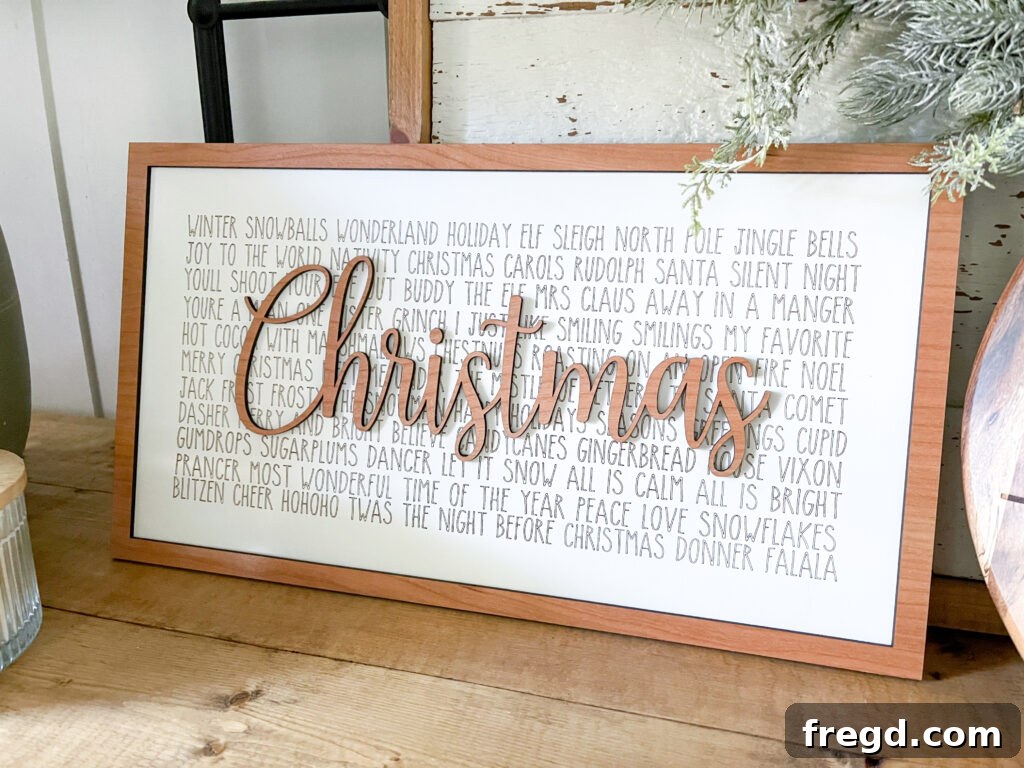
DIY Christmas Sign
Beyond small accessories, the Glowforge is perfectly capable of handling larger decor pieces, as demonstrated by this charming DIY Christmas sign. While this particular project is themed for the festive season, the underlying techniques can be applied to create personalized signs for any occasion, holiday, or everyday home decor. The base of our sign was crafted from a whiteboard/chalkboard material readily available at Lowe’s, which you can find HERE. The design itself was another wonderful find HERE on Etsy. To significantly reduce production time without sacrificing visual appeal, we opted to “score” the lettering onto the whiteboard instead of fully engraving it. Scoring creates a clean, precise line that etches the surface lightly, offering a distinct look that is much faster than engraving, which removes more material. This smart approach highlights how makers can optimize their Glowforge projects for efficiency and desired aesthetic results, making custom signage both beautiful and achievable.
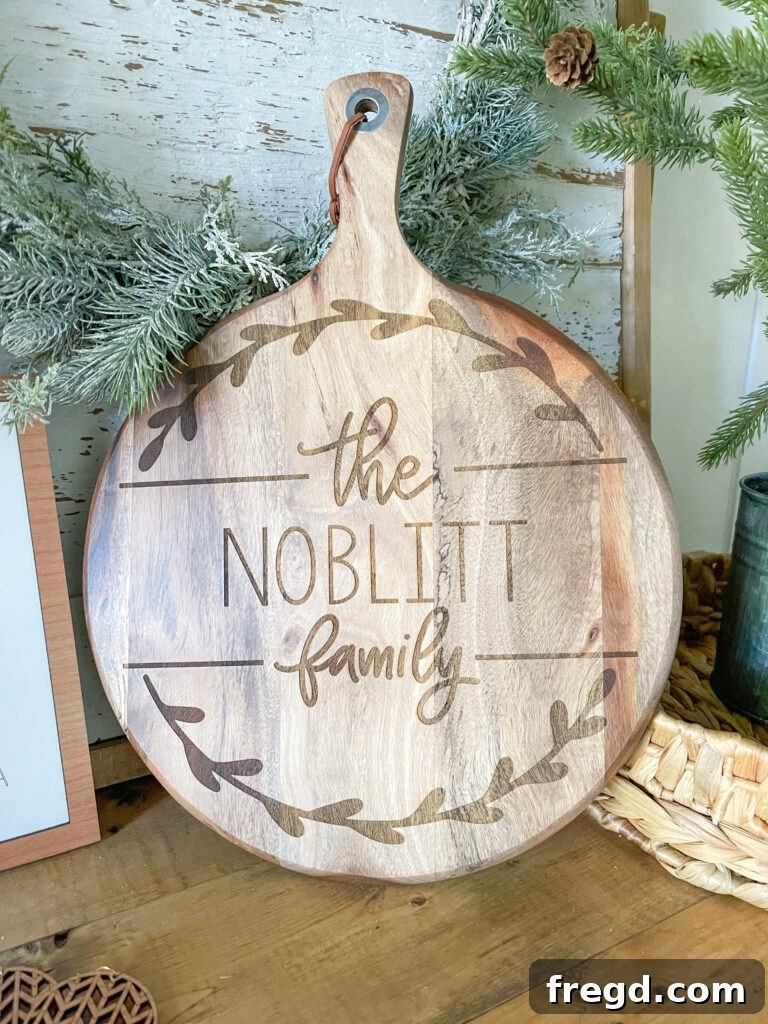
DIY Personalized Cutting Board
This personalized cutting board project stands out as another one of our absolute favorites, showcasing the Glowforge’s impressive capability to engrave on thicker, more robust materials. We created this beautiful piece as a special gift for our sister, and the results were truly stunning. The journey began with finding the perfect artwork, which we discovered HERE on Etsy. Since the original artwork was a JPEG, we used Photoshop to refine it and then leveraged a free online website to seamlessly convert it into an SVG file, making it compatible with the Glowforge. The cutting board itself was sourced HERE on Amazon. What we particularly love about this project is the Glowforge’s ability to deeply and cleanly engrave on a substantial material like wood, transforming a simple kitchen item into a cherished, custom heirloom. This project perfectly illustrates the potential for creating thoughtful, high-quality personalized gifts that leave a lasting impression.
The Advantage of Proofgrade Materials
One of the standout innovations that simplifies the laser cutting process for Glowforge owners, especially beginners, is the introduction of Proofgrade materials. These are not just any materials; they represent a carefully curated and meticulously engineered ecosystem designed to ensure perfect results, every single time.
What Makes Proofgrade So Special?
Proofgrade materials are unique because they are:
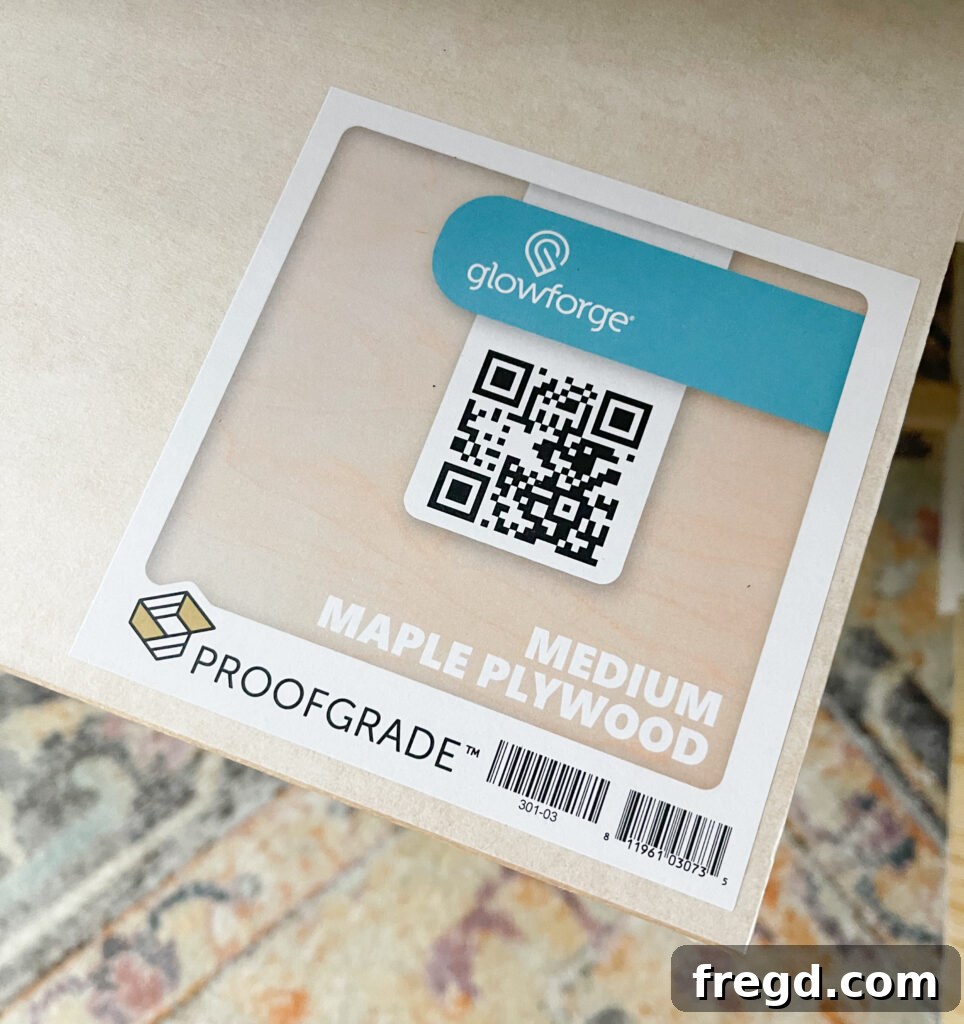
- Sourced and Prepared: Each piece of Proofgrade material – be it wood, acrylic, leather, or veneer – is responsibly sourced and expertly prepared for laser cutting. This includes ensuring consistent thickness, density, and optimal surface finishes.
- Encoded with QR Codes: The magic of Proofgrade lies in its integrated QR code. When you place a Proofgrade material into your Glowforge, the machine’s onboard camera scans this code. This allows the Glowforge to instantly identify the material type and even its specific batch.
- Lab-Tested for Perfect Printing: Every Proofgrade material undergoes rigorous lab testing to determine the ideal cut, engrave, and score settings. This data is embedded into the QR code and automatically communicated to your Glowforge software.
This ingenious system means that the Glowforge “knows” the perfect settings for each specific piece of Proofgrade material. This takes all the guesswork out of selecting power, speed, and focus, which can be a daunting task with generic materials. For new users, this automation dramatically lowers the barrier to entry, allowing them to achieve professional-quality results from their very first project.
Beyond Proofgrade: Exploring Other Materials
While Proofgrade materials make the process exceptionally easy, it’s important to note that your Glowforge 3D laser printer is capable of cutting, engraving, and scoring a wide variety of other laser-compatible materials. These can include certain plastics, fabrics, stone, rubber, and even some anodized metals. When using non-Proofgrade materials, the Glowforge community becomes an even more valuable resource for finding recommended settings and tips from other experienced users. However, for sheer convenience, reliability, and consistent top-tier results, Proofgrade materials truly make the laser crafting journey smoother and more enjoyable, perfectly complementing the machine’s advanced CO2 laser technology.
Choosing Your Glowforge Model
Glowforge offers three distinct models of their laser cutters, each designed to meet different needs, budgets, and creative aspirations. Understanding the differences between the Glowforge Basic, Plus, and Pro models is crucial to selecting the perfect machine for your personal or business endeavors. Ashley and I both opted for the Glowforge Pro, and for good reason.
The Glowforge Pro: Unlocking Advanced Capabilities
The Glowforge Pro is their flagship and most popular model, representing the pinnacle of their personal laser cutting technology. It boasts enhanced speed and power, allowing for faster project completion and deeper, more intricate engravings. What truly sets the Pro apart is its exclusive Pro Passthrough Slot. This innovative feature allows you to feed materials of virtually unlimited length through the machine, opening up possibilities for creating massive signs, banners, and continuous patterns that extend far beyond the standard bed size. This makes the Pro an invaluable asset for small businesses, serious crafters, or anyone envisioning large-scale projects. Its robust performance and advanced features justify its position as the top-tier choice.
Glowforge Plus: The Enhanced Standard
Stepping up from the Basic, the Glowforge Plus offers a significant upgrade in terms of speed and power. It’s designed for those who need more consistent performance and faster processing times for their projects. While it doesn’t include the Passthrough Slot of the Pro model, the Plus is a reliable and highly capable machine, perfect for enthusiastic hobbyists and small-scale production, delivering impressive results across a wide range of materials with greater efficiency.
Glowforge Basic: The Accessible Entry Point
The Glowforge Basic is the entry-level model, ideal for new users, hobbyists, or those with a more constrained budget who are eager to dip their toes into the world of laser cutting. It provides all the core functionalities of a Glowforge, allowing you to cut, engrave, and score various materials with the same user-friendly interface. While it operates at a slightly slower speed and lower power than its more advanced counterparts, the Basic still offers incredible precision and endless creative potential, making it an excellent starting point for anyone looking to explore laser crafting.
Regardless of the model you choose, all Glowforge printers come with a comprehensive warranty, are capable of processing a diverse array of materials, and are packed with intuitive features designed to make laser crafting accessible and enjoyable. To help you make an informed decision, you can delve deeper into the specific differences and detailed specifications of each machine HERE on the official Glowforge website, allowing you to perfectly align your investment with your creative ambitions.
Glowforge Air Filtration Options
An essential consideration for any Glowforge owner is how to manage the air filtration process, as laser cutting and engraving can produce fumes and particulate matter. Proper ventilation is crucial for safety, comfort, and the longevity of your machine. Glowforge provides robust solutions, and the community offers valuable insights into various setups.
The Official Glowforge Air Filter
Currently, Ashley and I both utilize the official Glowforge Air Filter. This integrated filtration system is designed to work seamlessly with your Glowforge, effectively capturing and neutralizing airborne particles and odors. It’s a self-contained unit that sits alongside your printer, providing a convenient solution for those who cannot vent directly outdoors or prefer a cleaner, more controlled environment. The air filter ensures that you can operate your Glowforge safely and comfortably indoors, making it an ideal choice for apartments, shared workspaces, or areas where external venting is impractical.
Ventilation Through a Window
While the official air filter is highly effective, many users, including myself, explore alternative ventilation methods for long-term use. I am currently in the process of setting up my Glowforge to vent directly out a window. This method involves using a vent hose to direct the fumes outside, which is often a more cost-effective solution in the long run as it eliminates the need to replace air filter cartridges. The Glowforge Community has been an invaluable resource here, providing detailed guides, tips, and shared experiences on how other makers successfully set up their window venting systems. Factors like window type, hose length, and sealing techniques are frequently discussed, helping new users navigate the setup process with confidence. After reviewing various options and considering the frequency of my projects, I believe the window vent option will be a preferable and more sustainable choice for my long-term Glowforge usage.
Ultimately, the choice between the official air filter and window venting (or other external exhaust systems) depends on your specific workspace, local regulations, and personal preferences. Regardless of your choice, ensuring proper ventilation is paramount for a safe and enjoyable laser crafting experience.
Mastering Your Glowforge with the Intuitive App
At the heart of the Glowforge’s user-friendly experience lies its powerful and intuitive web-based software, simply referred to as the Glowforge App. This is where all the magic happens before your designs come to life. Unlike traditional software that requires installation and constant updates, the Glowforge App operates entirely in your web browser, ensuring you always have access to the latest features without any effort on your part.
A Seamless Workflow from Design to Print
The Glowforge App is designed to be incredibly user-friendly, guiding you through every step of the creative process:
- Effortless Design Upload: You can easily upload your SVG, PNG, JPG, or PDF design files directly into the app. Whether you’re using a file from Etsy, the Glowforge Catalog, or one you’ve created yourself, the app makes importing designs a breeze.
- Precision Placement with Live Camera: One of the most praised features is the app’s integration with the Glowforge’s live preview camera. This real-time feed allows you to see your material exactly as it sits in the printer. You can then drag and drop your design directly onto the material within the app, ensuring perfect alignment and efficient use of every inch. This visual feedback dramatically reduces material waste and allows for intricate positioning.
- Intelligent Material Recognition and Settings: When using Proofgrade materials, the app automatically detects the material via its QR code and loads the optimal cut, score, and engrave settings. For non-Proofgrade materials, the app provides a range of pre-set options, or you can manually adjust settings, leveraging the collective wisdom of the Glowforge community for guidance.
- Customizable Operations: You have full control over each element of your design. You can choose to cut, engrave, or score different parts of your project, adjusting power and speed settings to achieve various aesthetic effects, from deep engravings to delicate surface marks.
- Print Initiation: Once your design is perfectly positioned and all settings are confirmed, a simple click in the app sends the job to your Glowforge, initiating the laser cutting or engraving process.
The web-based nature of the app means you can access and manage your projects from any device with an internet connection – a Mac, PC, or even a tablet. This flexibility, combined with its clear interface and powerful functionalities, makes the Glowforge App an indispensable tool that empowers both novices and seasoned makers to create stunning laser projects with confidence and unparalleled ease.
Exclusive Glowforge Promo Code and Offer
We sincerely hope that this in-depth review has provided you with a clear glimpse into the extraordinary world of possibilities that a Glowforge 3D Laser Printer can unlock. From personalized gifts to intricate home decor and even launching a small business, this machine is an incredible investment in creativity and craftsmanship. What’s truly remarkable is its potential to literally pay for itself as you create and sell your unique designs.
While many companies offer Black Friday sales, Glowforge typically provides special promotions directly through its partners. We’re thrilled to share that Glowforge has extended an exclusive offer to our valued readers. By using THIS SPECIAL LINK, you can purchase your own Glowforge with the very best deal they currently offer on their machines. This is your opportunity to join a vibrant community of makers and begin your own journey of laser-powered creation with significant savings.
As passionate Glowforge owners, we stand by our machines and wholeheartedly recommend them. This project was indeed sponsored by Glowforge, but we want to assure you that all opinions, experiences, and statements shared throughout this review are entirely our own and genuinely reflect our love for these amazing devices. We truly love our Glowforge machines and believe you will too!