
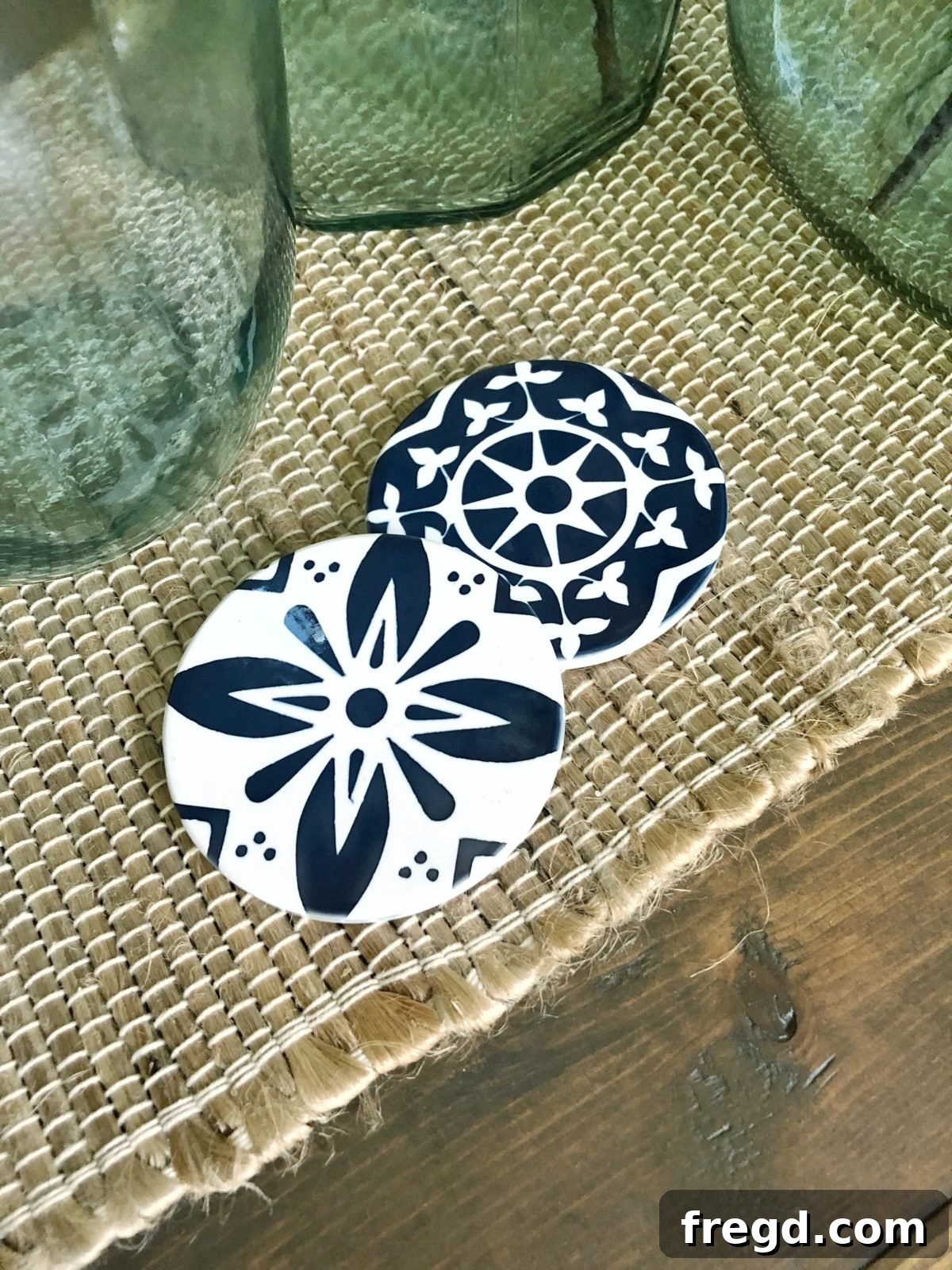
Unlock Vibrant, Permanent Designs with Cricut Infusible Ink: Your Ultimate Guide
Get ready to revolutionize your crafting experience! We are absolutely thrilled to dive deep into a product that has completely transformed our DIY world: Cricut Infusible Ink. A few months ago, we had the incredible opportunity to be among the first to explore and experiment with this groundbreaking innovation directly from Cricut. What we discovered was truly mind-blowing, and we couldn’t wait to share its amazing potential with you. Prepare to be inspired by the magic of Infusible Ink and how it can elevate your creative projects to a whole new level!
Ready to explore the possibilities? You can learn more and shop for all things Infusible Ink directly on the official Cricut Infusible Ink page here.
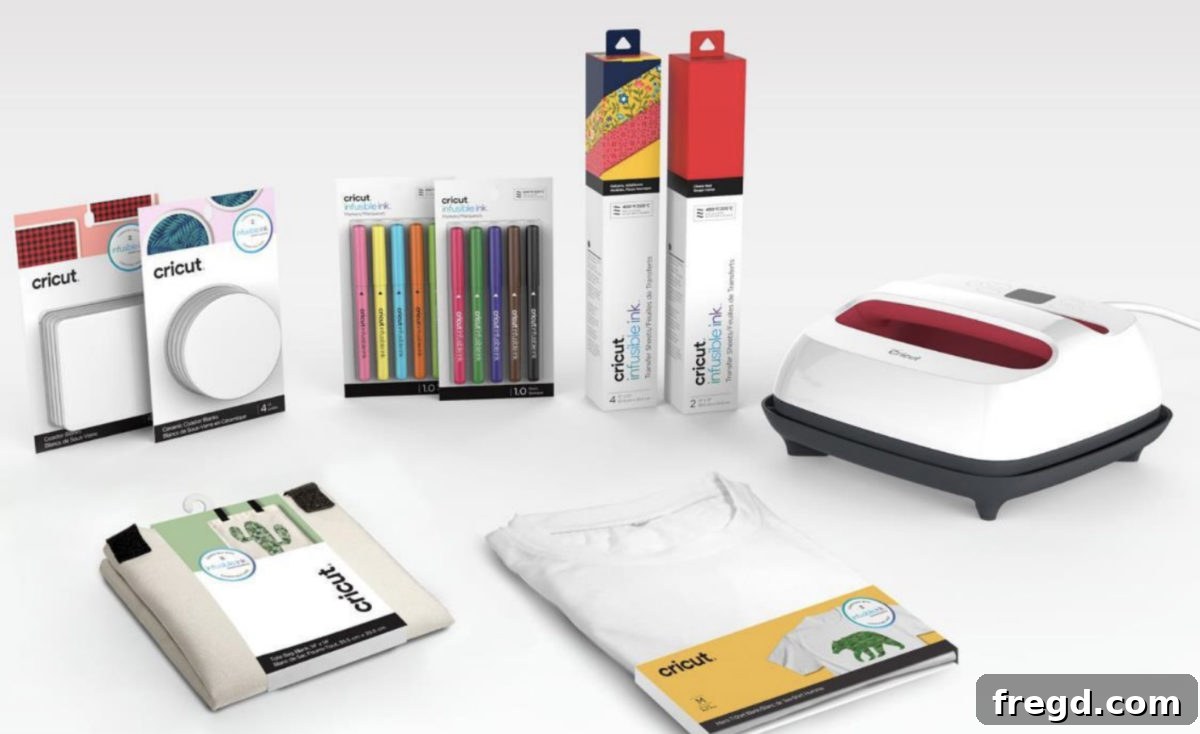
What Exactly is Cricut Infusible Ink?
When we first heard about Infusible Ink, our initial thought was, “What is this magical thing?” If you’re new to the concept, you’re in for a treat! Infusible Ink represents a revolutionary approach to heat transfer, distinct from traditional iron-on vinyl (HTV) or sticker applications. Unlike vinyl, which sits on top of your material, Infusible Ink actually *infuses* into the compatible blank. This means the ink becomes one with the material, resulting in seamless, vibrant, and permanent transfers that are resistant to peeling, flaking, wrinkling, or cracking.
Think of it as a form of sublimation technology, adapted for the home crafter. When exposed to high temperatures, the Infusible Ink transforms from a solid sheet or marker drawing into a gas. This gas then bonds with compatible polyester or poly-coated materials, creating a completely smooth, durable finish. This cutting-edge process is what makes Infusible Ink projects look and feel professional, often indistinguishable from store-bought items.
Why Choose Infusible Ink for Your DIY Projects?
The benefits of using Cricut Infusible Ink are truly game-changing for any crafter:
- Seamless Finish: No edges to lift, no texture added to the surface. The design is literally *in* the material.
- Unmatched Durability: Projects made with Infusible Ink are laundry-safe, dishwasher-safe (for mugs), and resistant to fading, peeling, and cracking over time. They truly last.
- Vibrant Colors: The colors activate and deepen during the heat transfer process, resulting in incredibly rich and vivid hues that pop.
- Professional Appearance: Achieve results that look like they were commercially produced, elevating the quality of your handmade gifts and home decor.
- Versatility: Works with a wide range of compatible blanks, including t-shirts, tote bags, coasters, mugs, and more.
Essential Tools for Your Infusible Ink Journey
To embark on your Infusible Ink adventure and achieve the best possible results, you’ll need a few key pieces of equipment. If you’re not yet a Cricut owner, now is the perfect time to consider investing in these incredible machines:
The Cricut Maker: Your Ultimate Cutting Machine
At the heart of many Infusible Ink projects is a powerful cutting machine. Both Ashley and I rely on the Cricut Maker, and for good reason. This versatile machine isn’t just a cutter; it’s a creative powerhouse capable of handling an astonishing array of materials, from the delicate precision required for Infusible Ink sheets to thick balsa wood. Its adaptive tool system allows it to cut, score, engrave, and draw with unparalleled accuracy. Whether you’re cutting intricate designs for your Infusible Ink projects or exploring other crafts, the Maker is an indispensable tool for serious DIY enthusiasts. You can explore the Cricut Maker and its capabilities further on Amazon HERE. For those who want to see it in action, check out our video on using the Maker on YouTube.
The Cricut EasyPress: Precision Heat for Perfect Transfers
The second critical tool for flawless Infusible Ink transfers is the Cricut EasyPress. Unlike a standard iron, which often provides inconsistent heat, the EasyPress delivers precise, edge-to-edge heat, which is absolutely crucial for Infusible Ink to properly infuse into your blanks. These presses come in various sizes, allowing you to choose the perfect fit for your projects. A larger EasyPress will enable you to tackle bigger designs and blanks with ease. The model I personally use, offering excellent versatility, can be found HERE on Amazon. Investing in an EasyPress ensures that your Infusible Ink designs transfer beautifully and permanently every single time.
Beyond the machines, you’ll also want to have an EasyPress Mat (to protect your surface and ensure even heat), butcher paper (to protect your EasyPress from ink transfer), cardstock (to prevent ink bleed-through), and a lint roller (for preparing fabric blanks).
Project Spotlight: Crafting Stunning Encaustic Tile Coasters
To truly demonstrate the magic of Infusible Ink, let’s walk through creating a project that consistently impresses everyone: beautiful encaustic tile coasters. These aren’t just any coasters; they boast a high-end, artistic look thanks to the seamless infusion of color. I’ll guide you through the process here, and for a dynamic visual experience, be sure to check out our Instagram Stories to see videos of this and other projects!
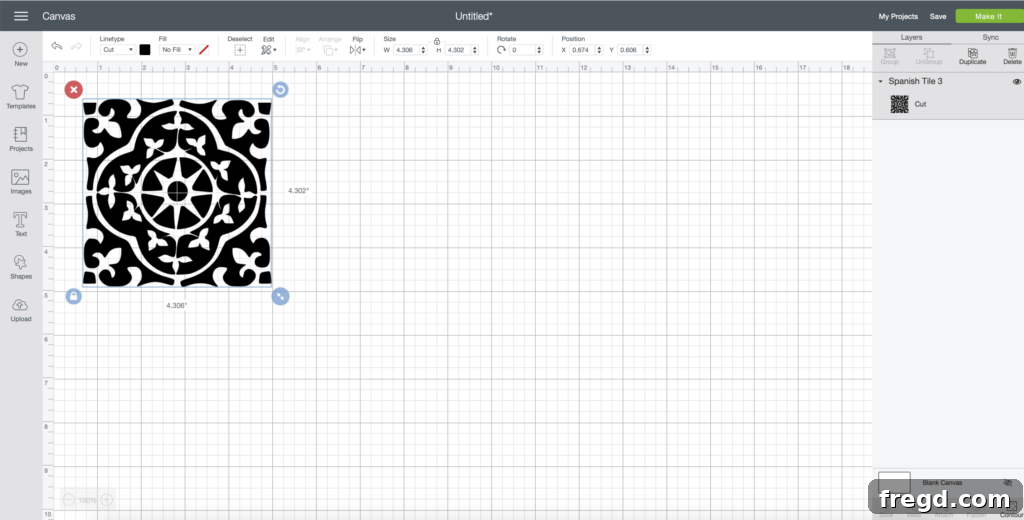
Step 1: Selecting and Sizing Your Design in Cricut Design Space
The journey begins in Cricut Design Space. For my encaustic tile coasters, I opted for a custom SVG file that perfectly captured the intricate patterns I envisioned. I discovered these exquisite designs on Etsy HERE, which were ideal for mimicking the aesthetic of traditional encaustic tiles. Once you’ve selected your desired design, upload it into Design Space. Resizing is incredibly straightforward: simply use the small blue circle located at the bottom right corner of your image. Drag it inward or outward until your design reaches the perfect dimensions for your coaster blank. For this project, I made the design just slightly larger than the coaster to ensure full coverage and a clean edge once trimmed.
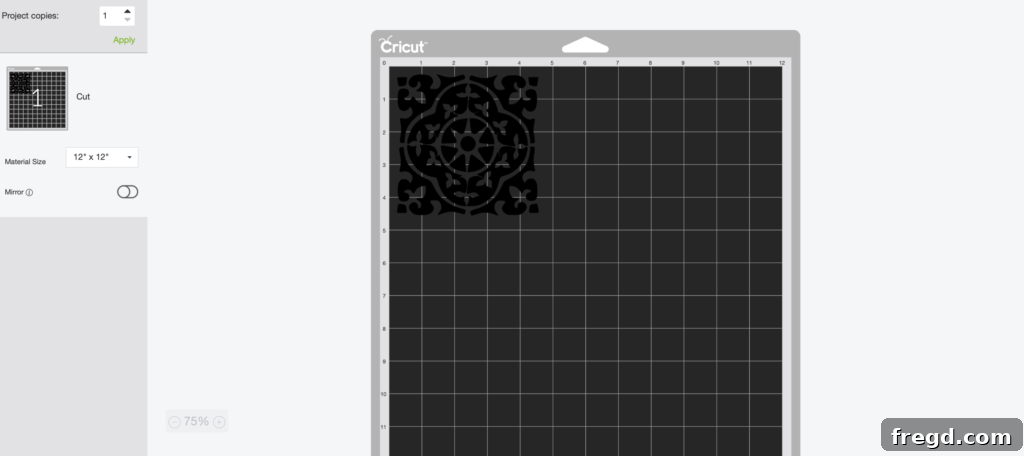
Step 2: Preparing Your Mat and Cutting the Infusible Ink Sheet
With your design ready, click the “Make It” button in Design Space. The next screen will display your design arranged on a virtual cutting mat. This is a critical point! If your design includes any text, numbers, or asymmetrical elements, you MUST click “Mirror On” on this screen. This ensures that when your design is pressed, it appears correctly on your blank. For my symmetrical encaustic tile design, mirroring wasn’t necessary, but it’s a vital step for most Infusible Ink projects.
Next, select “Infusible Ink Transfer Sheet” from the material list in Design Space. Place your Infusible Ink sheet onto your Cricut cutting mat (color side up for most applications, check specific instructions if unsure), load the mat into your Cricut Maker, and let the machine work its magic. The precision of the Maker ensures a clean, accurate cut every time.
Step 3: The Weeding Process for Infusible Ink
Once your design is cut, it’s time for weeding – the process of removing the excess material you don’t want transferred. If you’re familiar with weeding vinyl or heat transfer vinyl, you’ll find Infusible Ink surprisingly easier to weed. Often referred to as “crack and peel” weeding, you can gently roll and bend the cut sheet to make the cut lines visible, then simply peel away the unwanted sections with your fingers. There’s no need for intricate tools; your hands are usually all you need!
Important Tip: Ensure your hands are completely dry and free of any oils or lotions before handling the Infusible Ink sheet. Oils can interfere with the ink transfer and potentially leave unwanted marks on your finished project.
Understanding Infusible Ink Colors Before Transfer
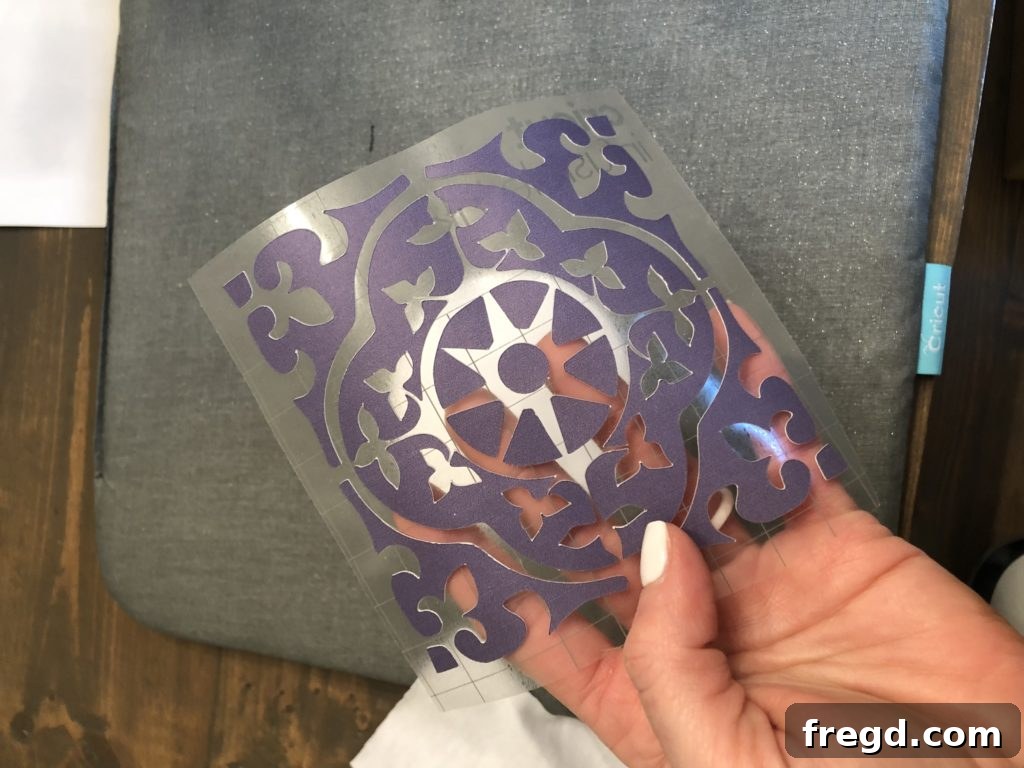
One fascinating characteristic of Infusible Ink sheets is their appearance before application. They will look quite muted and dull. This is entirely normal! The true vibrancy of the colors only activates and deepens once subjected to heat during the transfer process. Each package of Infusible Ink will typically show a swatch of the actual color you can expect after transfer. For my coaster, I used a deep navy, and as you can see below, the sheet itself appears much lighter, a soft blue.
Step 4: Preparing Your Blank – Prep is Key!
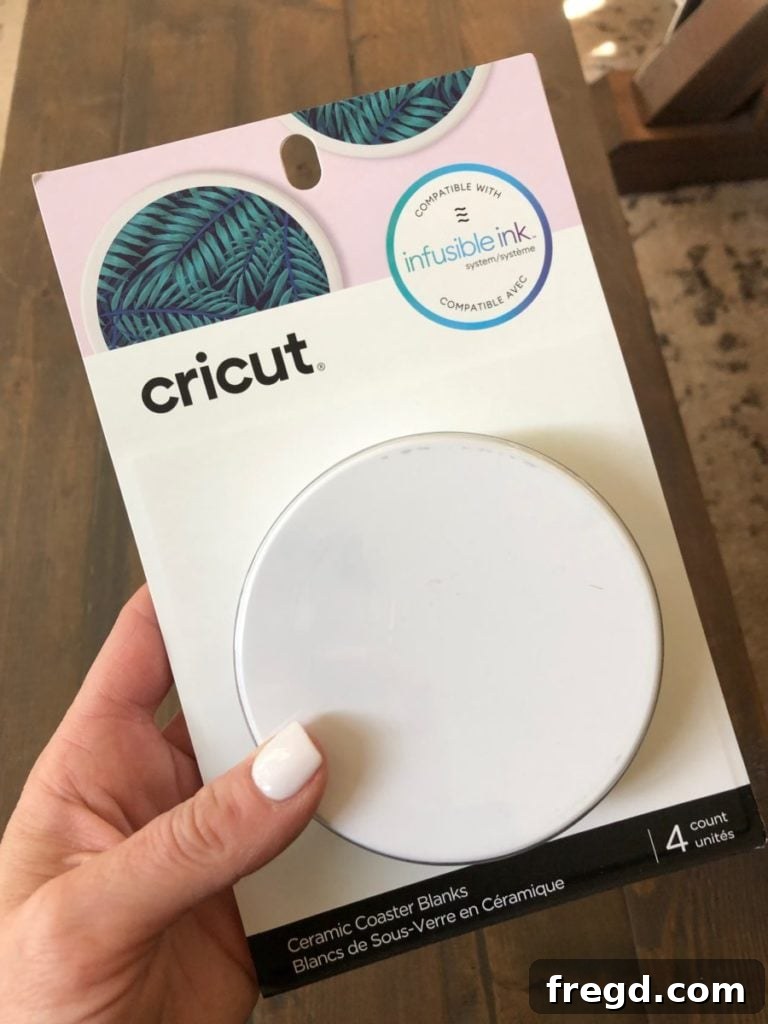
With Infusible Ink, meticulous preparation is not just recommended, it’s absolutely essential for a flawless outcome. For this project, I’m using Cricut’s blank ceramic coasters, which are specifically designed to work perfectly with Infusible Ink.
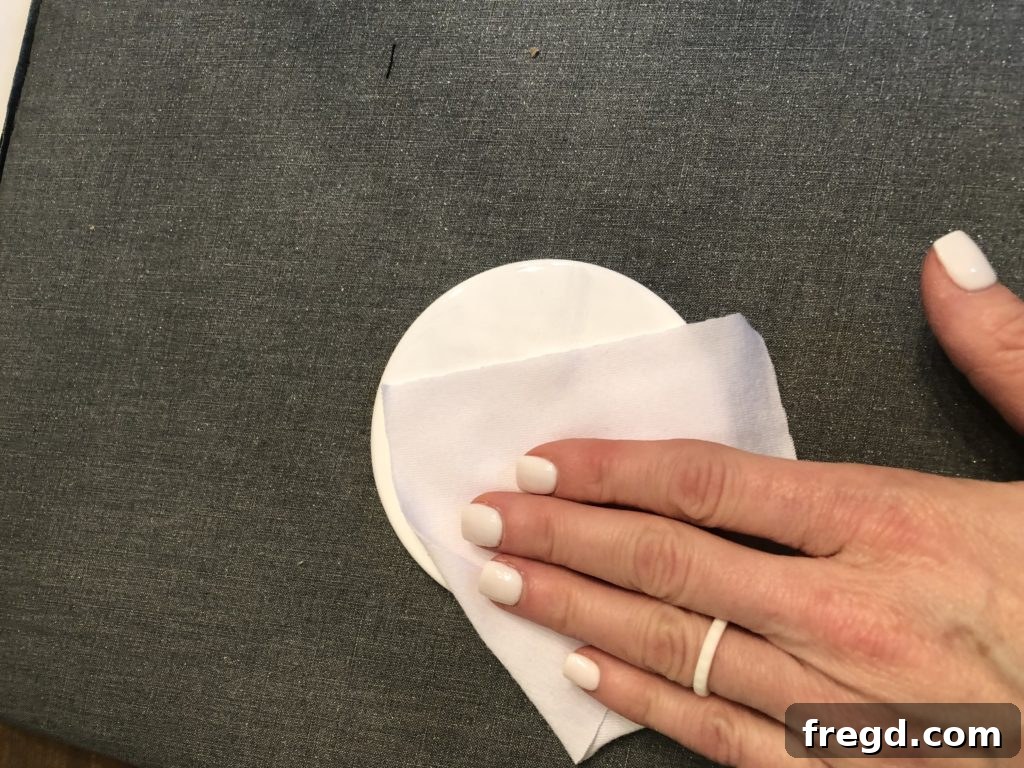
Before placing your design, take a clean, lint-free cloth and thoroughly wipe down the entire surface of your ceramic tile. This step, while seemingly minor, is incredibly important. Any dust, lint, or debris on the surface can hinder the ink transfer or create imperfections in your final design. A clean blank ensures the Infusible Ink bonds seamlessly and evenly, resulting in that coveted professional finish.
Step 5: Layering for a Successful Heat Transfer
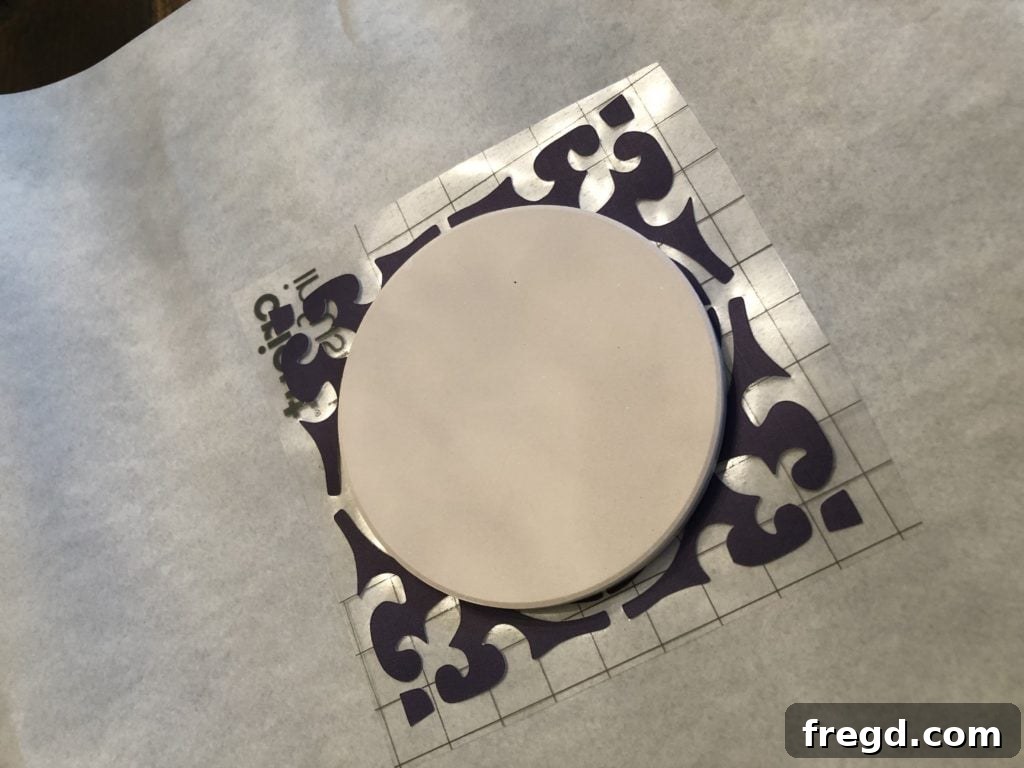
This “heat sandwich” layering technique is crucial for protecting your equipment and achieving a perfect transfer. Here’s how to assemble it:
- Start with your Cricut EasyPress Mat on a sturdy, heat-safe surface. This mat provides a firm, even pressing surface and helps absorb moisture.
- Place a sheet of cardstock on top of the mat. This acts as a barrier, preventing any potential ink bleed-through from reaching your EasyPress Mat.
- Position your clean ceramic tile coaster face-down onto the cardstock.
- Carefully place your weeded Infusible Ink design on top of the shiny, transfer-ready surface of the tile, with the vibrant color side facing down towards the tile. Secure it with heat-resistant tape if needed to prevent shifting.
- Finally, cover the entire assembly with a sheet of butcher paper. This essential layer protects your EasyPress plate from any excess ink that might vaporize during the heating process.
Step 6: Applying Heat with the EasyPress
Now it’s time for the magical part! Place your Cricut EasyPress directly on top of your layered “sandwich.” For ceramic coasters, the ideal settings are 400˚F (205˚C) for 240 seconds (4 minutes). Apply gentle, even pressure during the entire transfer time. It’s critical to avoid moving the EasyPress once it’s in place, as any shifting can result in ghosting or blurred designs.
Once the timer is complete, carefully lift the EasyPress straight up. Let the tile cool completely before you attempt to remove any layers. This waiting period is important to allow the ink to fully settle and bond with the blank.
Step 7: The Big Reveal – Unveiling Your Masterpiece!
The moment of truth! After allowing the tile to cool down sufficiently, gently peel back the butcher paper, then the Infusible Ink sheet. Prepare to be amazed! The muted colors you started with have transformed into incredibly vibrant, rich hues, permanently infused into the ceramic surface. The glossy texture of the tile remains perfectly smooth; there’s no added layer or raised surface. The design isn’t just *on* the tile; it’s *part* of the tile. It’s truly a “wow” moment that showcases the remarkable capabilities of Infusible Ink.
For an even more dramatic view of this transformation, make sure to check out the video on our Instagram stories – seeing the ink infuse in real-time is genuinely captivating!
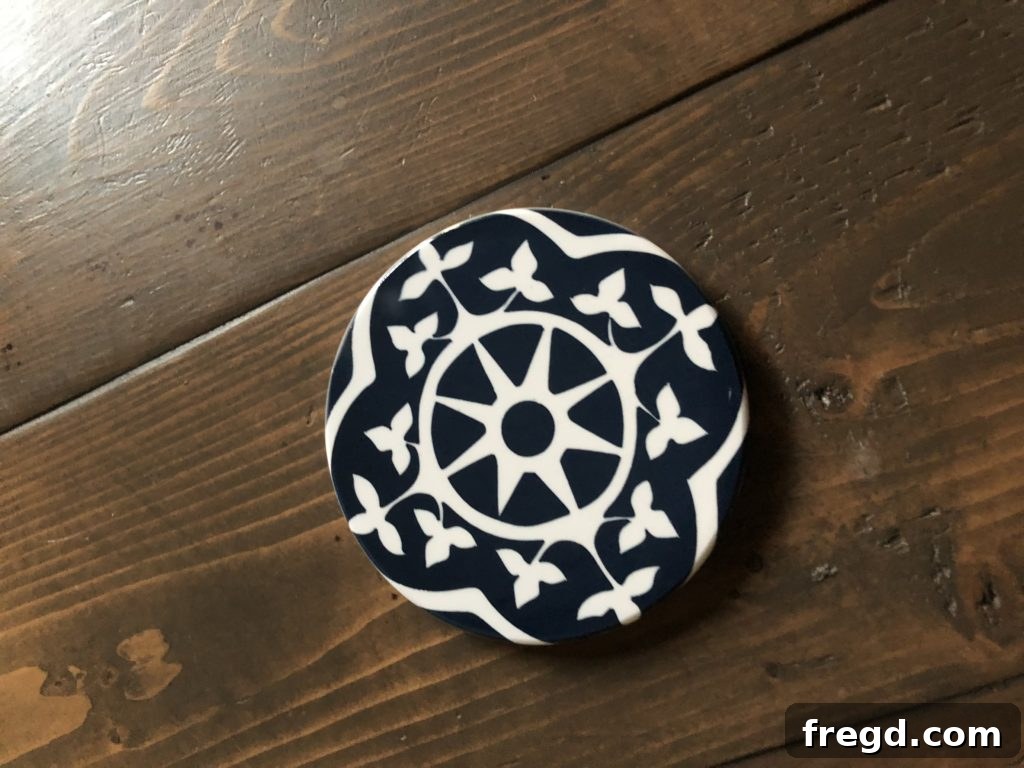
It’s absolutely incredible to realize that such professional-quality results can be achieved right from your home craft room with a DIY project. The possibilities for personalized gifts and stunning home decor are endless!
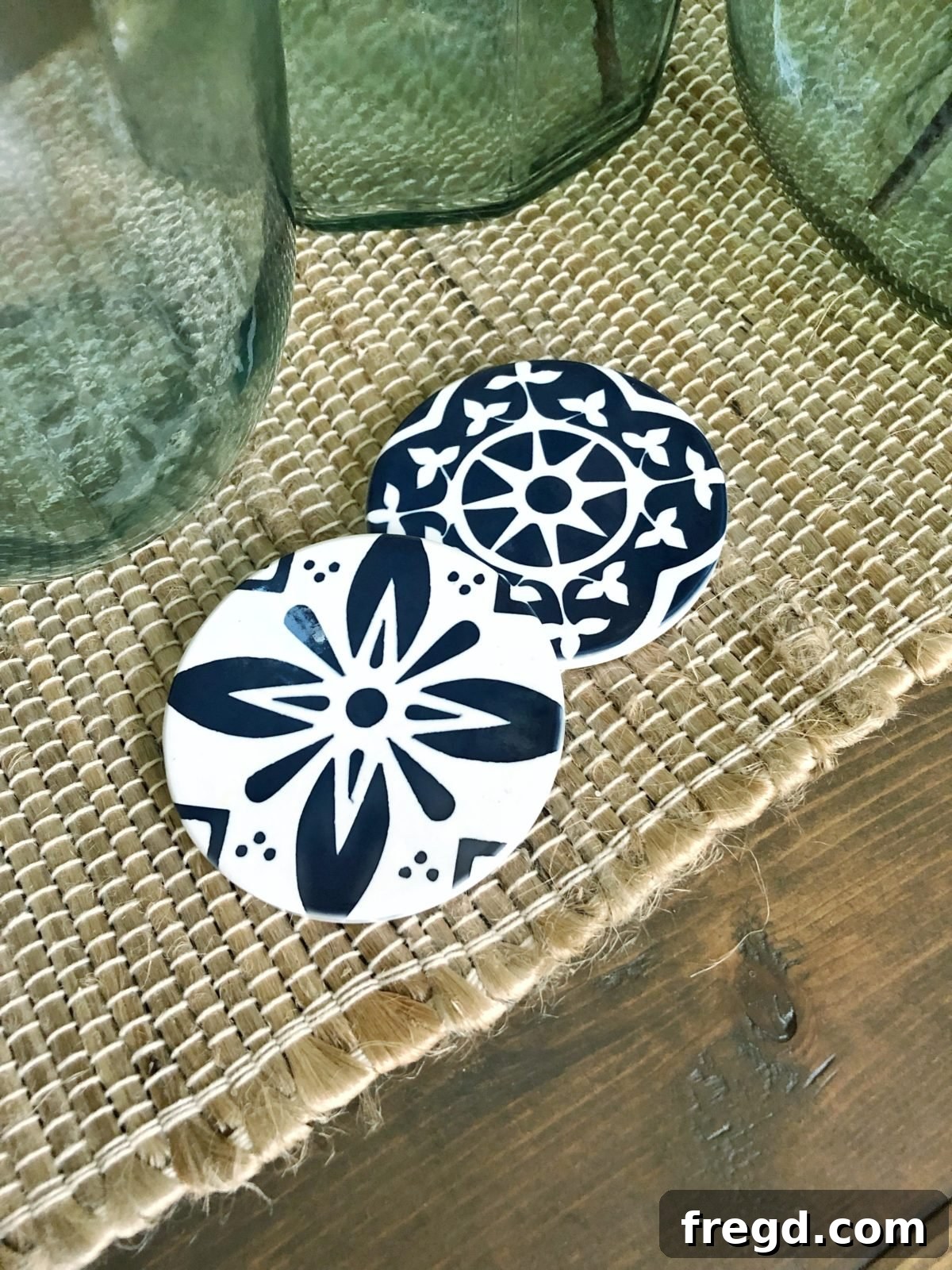
Beyond Coasters: Expanding Your Infusible Ink Horizons
The versatility of Infusible Ink extends far beyond ceramic coasters. The availability of various compatible blanks opens up a world of creative opportunities, making it simple and fun to create personalized, high-quality items. These projects make fantastic handmade gifts that look incredibly expensive and professionally made, surprising everyone with their DIY origin!
Custom Tote Bags and Apparel
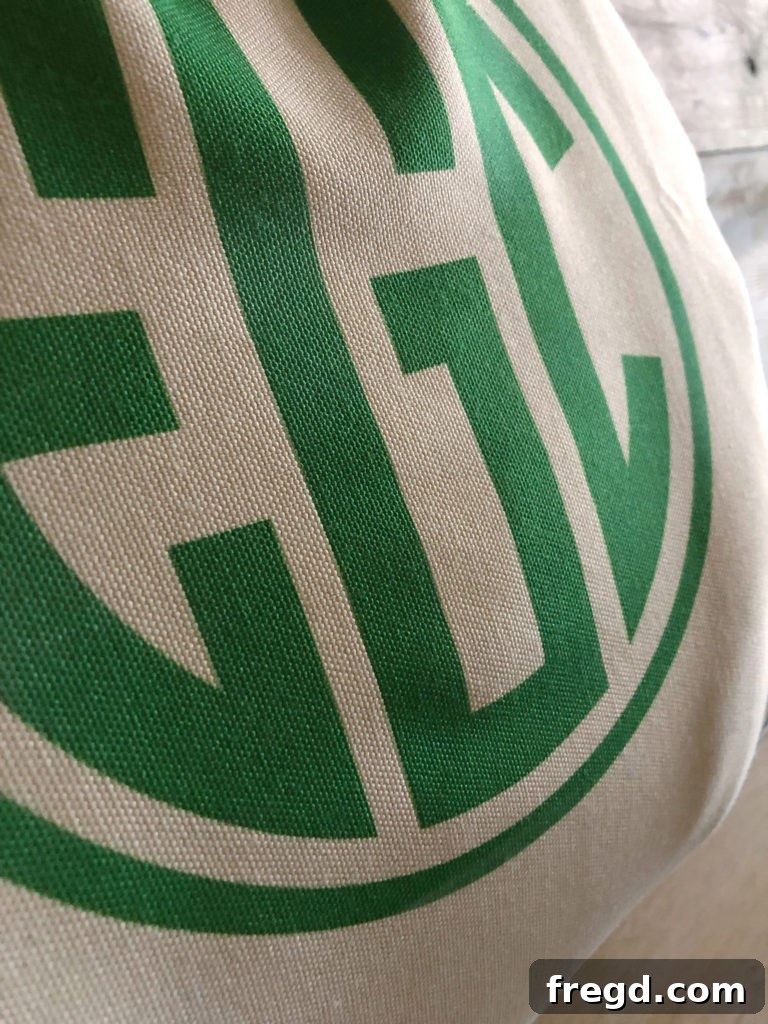
One of my favorite ways to use Infusible Ink is on fabric blanks like tote bags, t-shirts, and even pillowcases. The magic here is seeing how the ink literally permeates the fabric fibers, rather than just sitting on top. This results in a design that is completely smooth to the touch, breathable, and stretches with the fabric – no cracking or peeling ever! Take a look at this personalized tote bag I made for one of my girls:
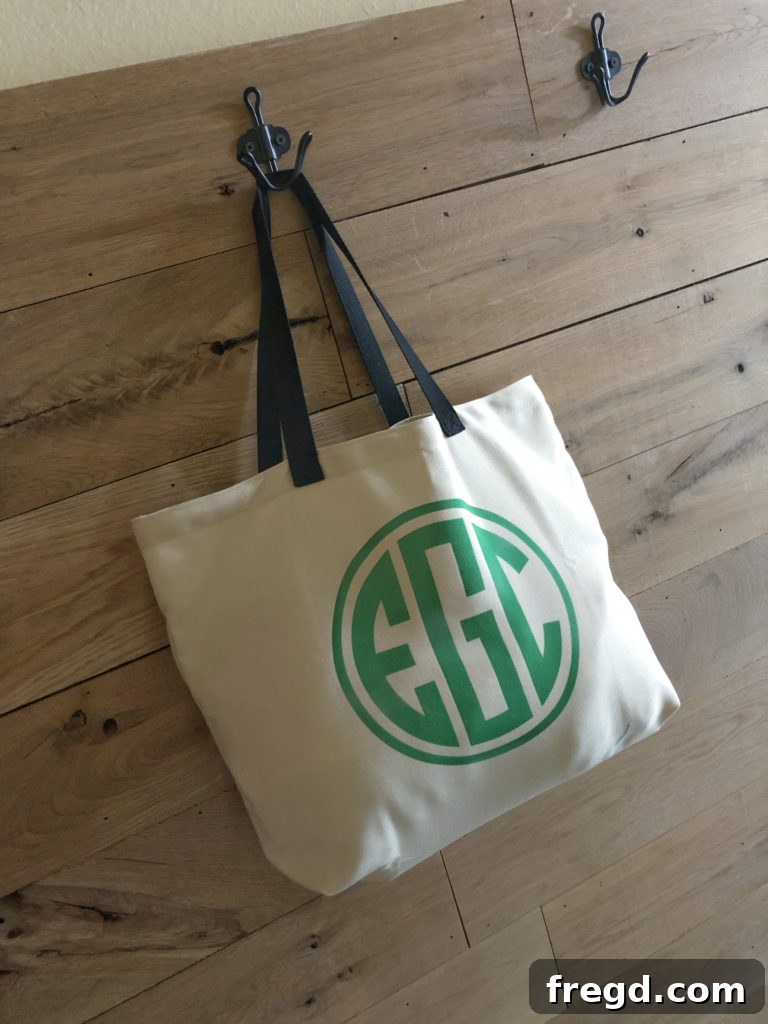
You can clearly see in this photograph how the ink has become an integral part of the fabric itself, creating a truly permanent and professional finish. It’s such a neat effect, making these fabric projects incredibly durable and comfortable to wear or use.
Crafting with Infusible Ink Markers
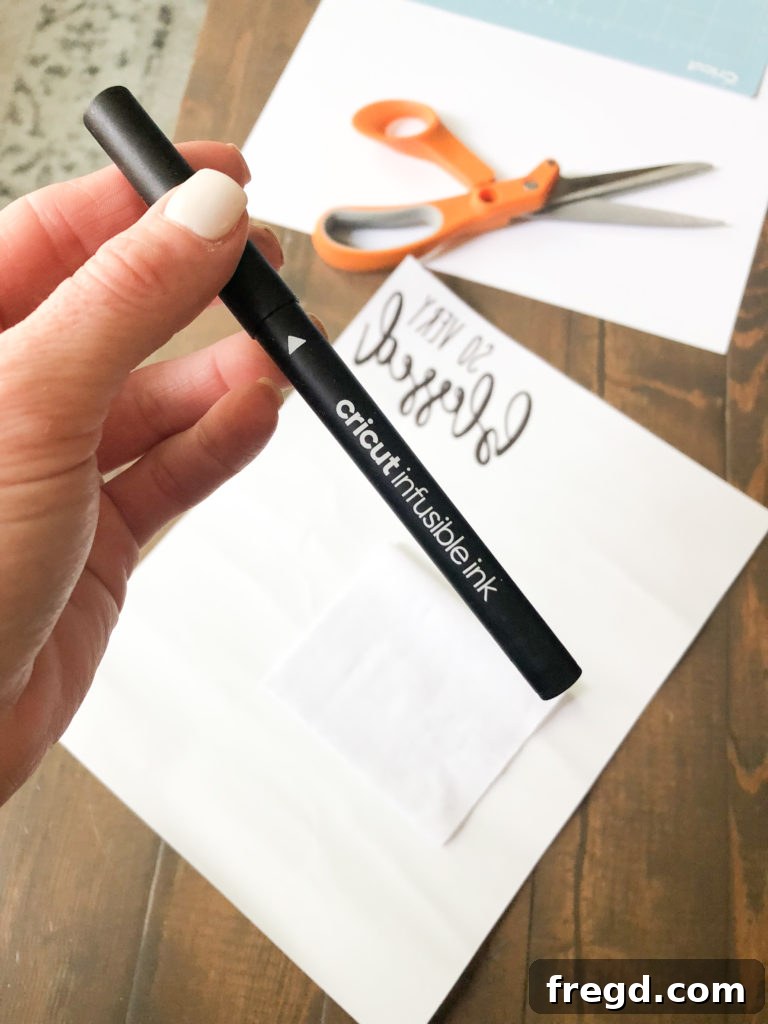
Did you know you can also draw your own designs with Infusible Ink? Cricut offers a fantastic range of Infusible Ink markers and pens that allow for incredible customization. For another coaster project, I used one of our free printable designs in conjunction with the Cricut Maker and an Infusible Ink marker. Here’s how that creative process unfolded:
- First, I loaded the Infusible Ink marker into my Cricut Maker.
- The Maker then precisely drew the outline of the design onto regular laser copy paper. This serves as your transfer sheet.
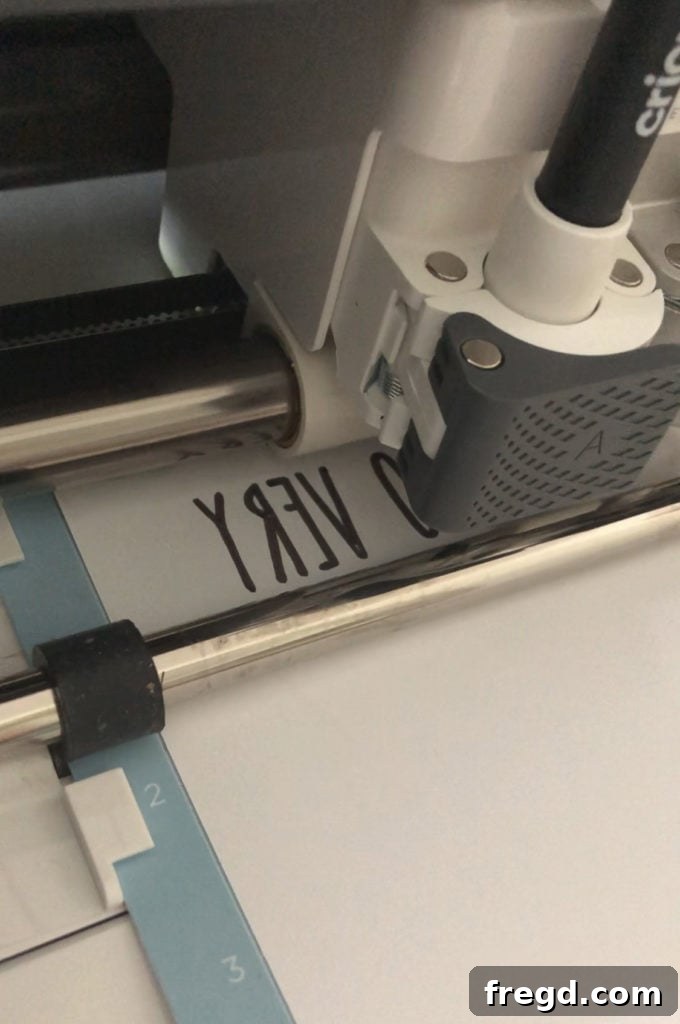
Once the outline was drawn, I took over with the Infusible Ink markers to manually fill in the blank spaces with colors of my choice. This adds a truly personal, hand-drawn touch to your Infusible Ink projects.
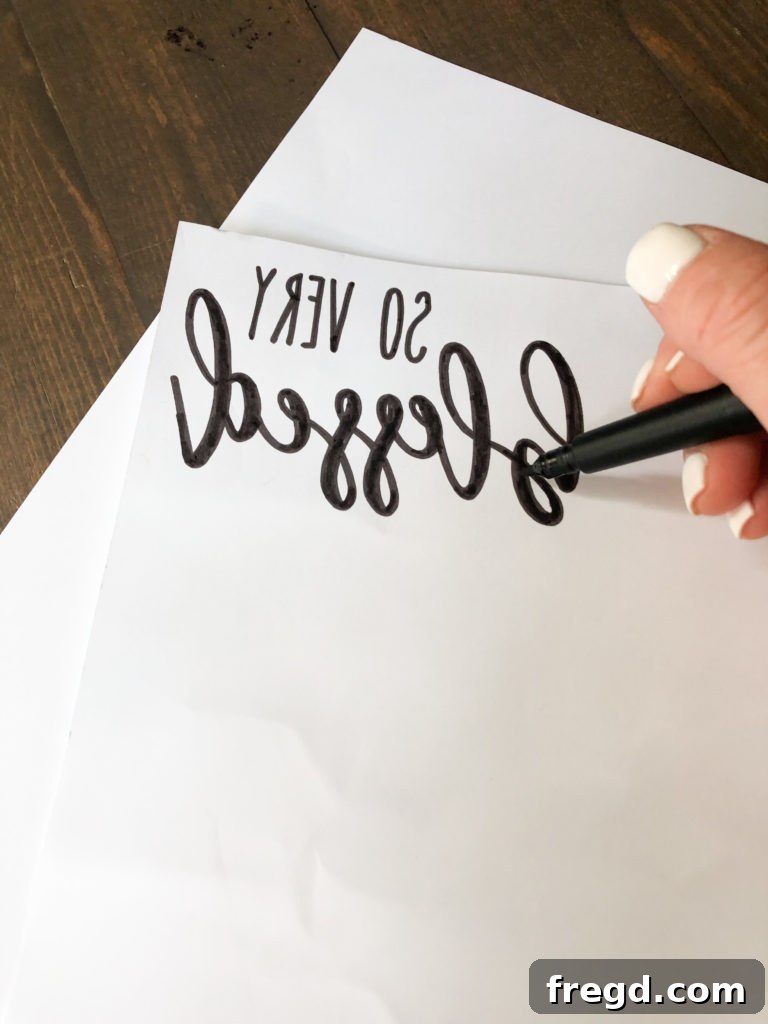
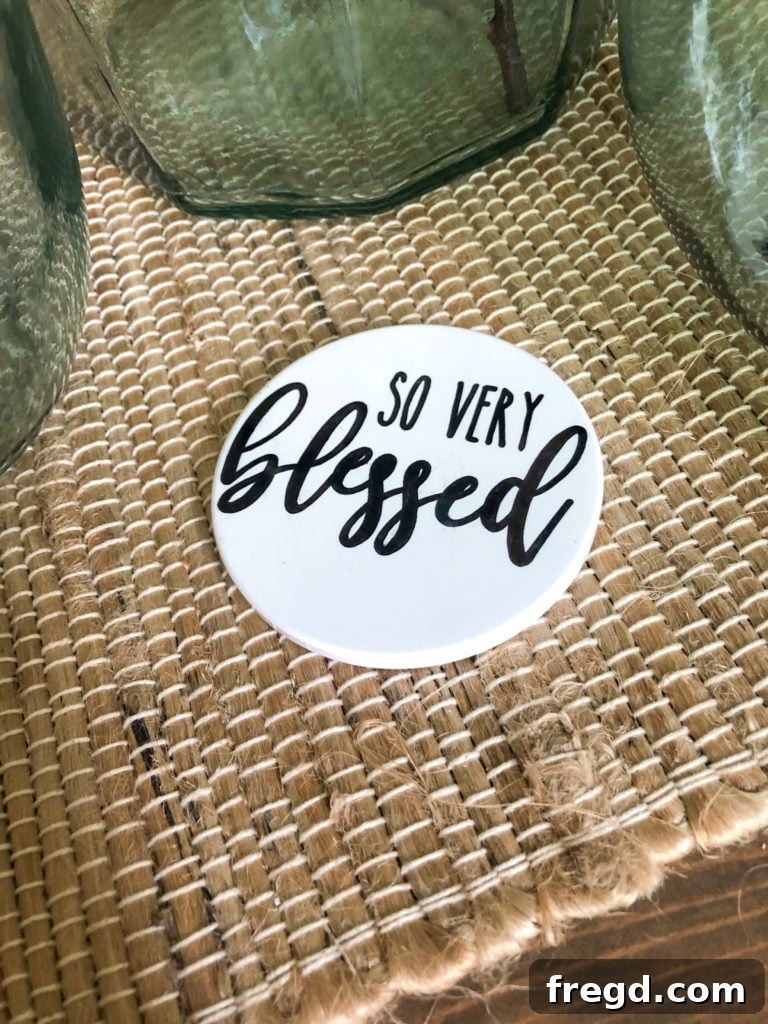
After coloring, the transfer process is similar to using Infusible Ink sheets. Place your colored design face down on the coaster blank, layer with butcher paper, and press with your EasyPress. The result is a vibrant, custom coaster that carries the unique charm of a hand-drawn piece!
Tips for Infusible Ink Success
To ensure your Infusible Ink projects are always a resounding success, keep these best practices in mind:
- Use Compatible Blanks: Always use Cricut Infusible Ink blanks or other compatible sublimation-ready blanks. These materials are specifically designed to accept the ink transfer for optimal results.
- Mirror Your Design: Unless your design is symmetrical, always remember to “Mirror On” in Cricut Design Space when cutting Infusible Ink sheets or drawing with Infusible Ink markers.
- Clean Your Blanks Thoroughly: Any dust, lint, or oil on your blank can interfere with the transfer and cause imperfections. A lint roller for fabric and a clean cloth for hard surfaces are your best friends.
- Dry, Oil-Free Hands: Handle Infusible Ink sheets and blanks with clean, dry hands to prevent transferring oils that can block the ink.
- Precise Heat and Time: Follow Cricut’s recommended heat and time settings for your specific blank and EasyPress model. Consistency is key for proper ink infusion.
- The Right Layering: Always use the correct “heat sandwich” (EasyPress Mat, cardstock, blank, design, butcher paper) to protect your tools and achieve a clean transfer.
- Allow Cooling: Patience is a virtue! Let your project cool completely before peeling away the transfer sheet to avoid ghosting or partial transfers.
Where to Find Your Infusible Ink Supplies
The world of Cricut Infusible Ink is vast and exciting! With an ever-growing array of patterns, solid colors, and diverse blanks, your creative possibilities are truly limitless. From trendy patterns to classic solids, and blanks ranging from apparel to ceramic and even metal, there’s something for every project and every style.
Don’t wait to experience the magic of professional-quality, permanent DIY creations. Be sure to explore all the amazing Infusible Ink patterns, colors, markers, and compatible blanks available on the Cricut website HERE!
Thank you so much for stopping by and delving into the exciting world of Infusible Ink with us. We hope this comprehensive guide inspires you to create some truly amazing projects. If you have any questions at all, please don’t hesitate to ask in the comments below!